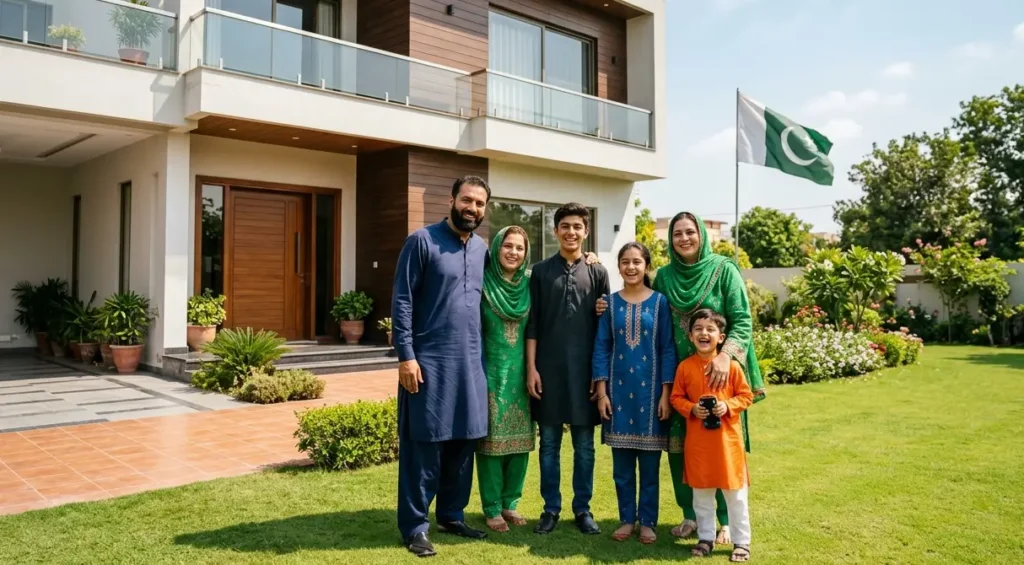
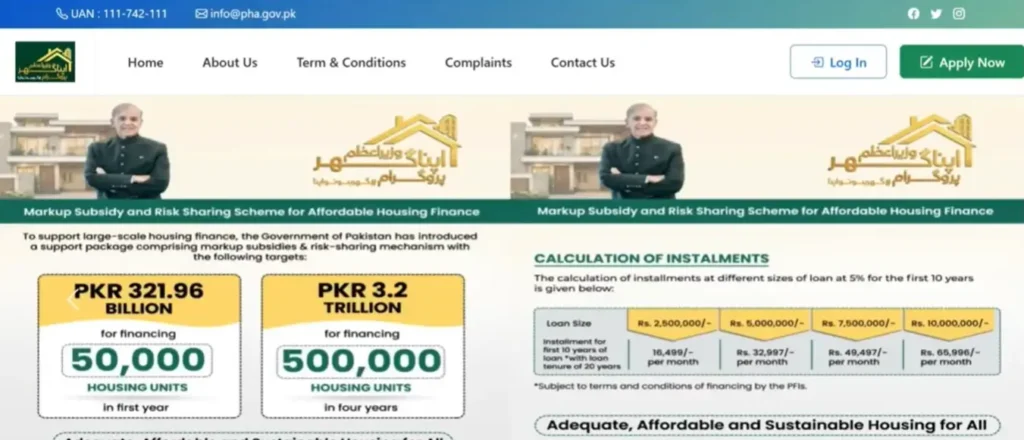
The Prime Minister of Pakistan has officially launched the Apna Ghar Program, also known as the “Ghar Ho To Apna” scheme, across all of Pakistan. No matter which city or district you live in, you can easily apply online for this scheme.
Under this program, the Government of Pakistan will provide you with an interest-free loan of up to PKR 1 crore so that you can complete the construction of your home according to your needs and wishes.
In this article, you will find complete details about the salient features of this scheme, the eligibility criteria, participating banks, the loan repayment period, applicable charges, required documents for online registration, and a full step-by-step guide to the online application process.
Also Read: Benazir Income Support Program 8171 New Updates June 2026: Survey Reopening
Eligibility Criteria and Salient Features
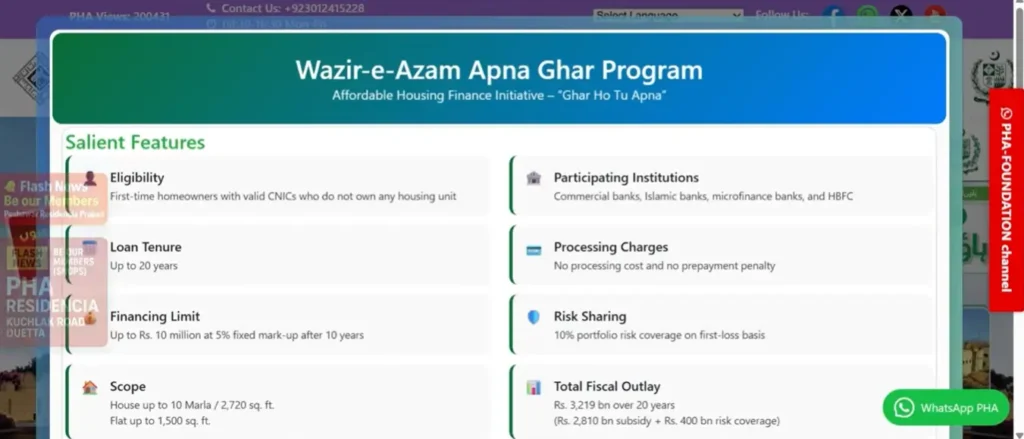
Before starting the application process, it is very important to understand the salient features because these form the foundation of your selection process.
Eligibility: There should be no housing unit registered in your name on your CNIC (Computerized National Identity Card). This is the very first condition.
Loan Provider: The loan will be provided through any commercial bank, Islamic bank, or microfinance bank.
Repayment Period: You will have to repay the loan within 20 years.
Charges: The government will not charge you anything for this. There is no registration fee.
Risk Sharing: There is a 10% portfolio risk charge sharing.
Loan Categories Based on Property Type
The loan is provided in two categories:
- Plot-Based Construction: If you own a 10 Marla plot (or equivalent square footage), you are eligible to apply under this category.
- Flat/Apartment Purchase: If you have booked a flat in any property or housing project and it meets the required square footage criteria, you can also apply for this loan.
Who Can Apply? Understanding the Three Application Categories
Before submitting your application on the portal, you must clearly understand which category you belong to. There are three categories available:
1. Formal Salaried Applicant
If you are a salaried person with a fixed income, you need to click on the “Formal Salaried Application” option.
2. Informal Applicant
If you do not have a fixed salary and your income varies from time to time, then you should apply under this second category.
3. Formal Business Applicant
If you have your own business, whether it is a small shop or a large business, you can also apply for the loan to complete your home construction under this third category.
Make sure this is absolutely clear in your mind before proceeding.
Step-by-Step Online Application Process
The online application involves five main steps: Bank Details, Purpose of Facility, Personal Information, Employment/Business Details, and Document Upload. Here is the complete walkthrough.
Step 1: Create Your Account
Visit the official Apna Ghar portal and click on the “Create Account” button. You need to enter the information of the person in whose name you are applying.
For example, if the eldest member of your household is your father, mother, or any sibling, you should register in their name.
Fill in the following details:
- Full Name of the applicant
- CNIC Number
- Mobile Number (preferably registered in the applicant’s name)
- Email Address (this is optional, but recommended)
- Password (must include both uppercase and lowercase letters)
- Confirm Password
After filling in all the details, click the register button to create your account.
Step 2: Log In to Your Account
After account creation, go to the Login page. Enter your CNIC number and the password you just created. There will be a security check (a simple math question like “9 + 6 = ?”). Enter the correct answer and sign in.
Important Note: The portal has an automatic timeout feature. If you remain inactive for too long, you will be logged out automatically and will need to sign in again.
Step 3: Select Your Category and Enter Bank Details
Once logged in, select your applicant category (Salaried, Informal, or Business). After selecting your category, the first section will ask for your bank information:
- Bank Name (select the bank where you have an account)
- Branch Name
- IBAN Number
- Account Number
- Existing Bank Name
After entering all the bank details, click “Save and Next” to proceed. You will see a confirmation message: “Data Saved. Please proceed to the next information.”
Step 4: Enter Loan Purpose and Details
In this section, you need to specify why you are applying for the loan:
- Purpose of Loan Financing: Select whether you need the loan for a house/flat purchase, a plot, or construction.
- Loan Amount Required: Enter the amount you need (for example, PKR 18 lakh).
- Applicant’s Own Contribution: Enter the amount you have already invested from your own pocket.
- City of Property: Enter the city where your property is located.
- Loan Tenure: Select the repayment period (up to 20 years is available).
Click “Save and Next” to proceed.
Step 5: Fill in Personal Information
This section requires detailed personal information:
- Full Name and CNIC Number (auto-filled from registration)
- CNIC Issue Date (auto-filled)
- Email Address
- Date of Birth
- Mobile Number
- Gender (Male/Female)
- Photograph (upload your picture)
- Father’s Name and Father’s CNIC Number
- Number of Family Members
- Mother’s Name
- City of Residence
- Housing Status: Select whether you own a home, live in a rented apartment, rented house, hostel, or are living with family.
- Rent Amount (if applicable; leave blank if you own your home)
- Province (all provinces across Pakistan are eligible)
- District
- Complete Home Address
- Mailing Address
- Co-Applicant Details (if applicable; select “No” if you don’t have a co-applicant)
Click “Save and Next” after completing all fields.
Step 6: Enter Employment or Business Details
For salaried applicants, fill in:
- Name of Employer
- Company Name
- Type of Employment (Contract or Permanent)
- Employer’s Address
- Your Position/Designation
- Date of Joining
- Monthly Salary/Income
- Office Phone Number (must be in the format starting with area code, e.g., 051-XXXXXXX)
Click “Save and Next” to proceed.
Step 7: Upload Required Documents
In the final step, you need to upload the following documents:
- CNIC Front Image
- CNIC Back Image
- Employment Certificate
- Bank Account Statement (last 6 months)
- Next of Kin’s CNIC Front Image
- Next of Kin’s CNIC Back Image
- Salary Slip
Make sure all documents belong to the person in whose name the application is being submitted.
Step 8: Review Undertaking and Submit
Before submitting, carefully read the undertaking that explains the terms of the low-cost housing financing facility. This includes details about what happens if you are not selected, along with bank-related terms and conditions.
After reading, tick the checkbox to agree with the terms. Then click the “Submit” button to officially submit your online application.
Important Tips
- Double-check all information before submitting. Enter every detail carefully and accurately.
- Keep all required documents ready before starting the application process.
- Be aware of the portal timeout. If you take too long, you will be logged out automatically.
- Make sure you gather all information only from the official website. The official link can be found through the government’s portal.
- After submission, all further information and updates will be provided to you through the portal itself, so keep checking your account.
- You can also update your profile after submission if needed.
FAQs
Q: Who is eligible for the Apna Ghar Program?
A: Any Pakistani citizen who does not have a housing unit registered on their CNIC can apply for this program.
Q: What is the maximum loan amount available?
A: You can get an interest-free loan of up to PKR 1 crore under this scheme.
Q: Is there any registration fee?
A: No, the government does not charge any registration fee for this program.
Q: What is the loan repayment period?
A: You have up to 20 years to repay the loan.
Q: Which banks provide the loan?
A: The loan is provided through commercial banks, Islamic banks, and microfinance banks participating in the program.
Q: Can I apply from any city in Pakistan?
A: Yes, this scheme is available across all of Pakistan. You can apply from any city or district.
Q: What if I own a business instead of having a salaried job?
A: You can still apply. There is a separate category for formal business owners.
Q: What documents do I need for the application?
A: You need your CNIC (front and back), employment certificate, 6-month bank account statement, salary slip, and next of kin’s CNIC (front and back).
Q: Can I apply if I don’t have a fixed salary?
A: Yes, there is an “Informal Applicant” category specifically for people without a fixed salary.
Q: How will I receive updates about my application?
A: All further information and updates will be communicated through the official portal.
Conclusion
The Apna Ghar Program is a great opportunity for Pakistani citizens who dream of building their own home but face financial constraints. With an interest-free loan of up to PKR 1 crore and a generous 20-year repayment period, this scheme makes homeownership accessible for salaried individuals, informal workers, and business owners alike.
The online application process is straightforward. Just make sure you have all your documents ready, understand which category you fall under, and enter all your information correctly. Keep checking the official portal for updates on your application status.