
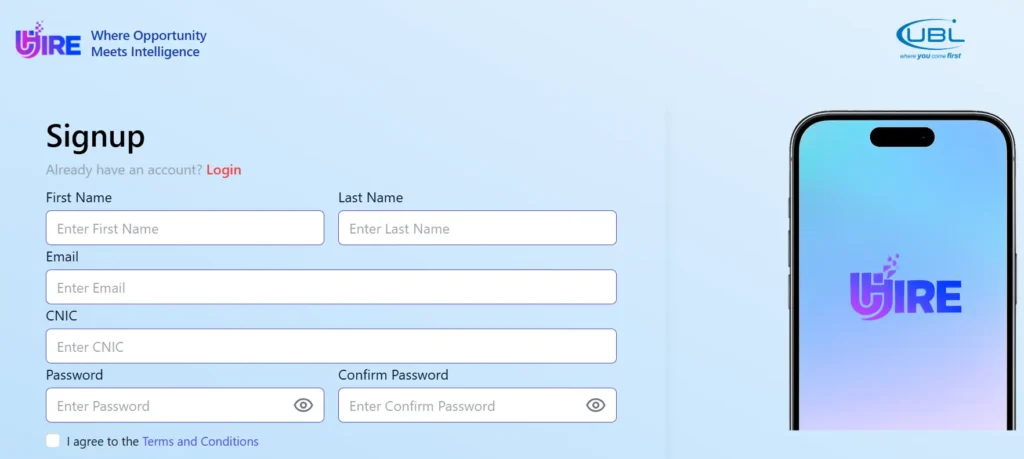
UBL (United Bank Limited) regularly announces job openings across Pakistan for both men and women, from Matric level up to Bachelor’s degree holders. The hiring happens through a platform called UBL U-hire, where you build your profile once and apply whenever a new position is posted.
The entire selection process, including the test and interview, is conducted online. In this article, you will learn exactly how to clear the UBL U-hire online MCQ test and how to pass the video interview, step by step. Follow this guide carefully, and the process will be straightforward for you.
Important: You only get one chance per job posting. If you fail, you cannot re-apply for that same position. Read this entire guide before applying.
What Is UBL U-Hire?
UBL U-hire is the official online hiring portal used by United Bank Limited. Jobs are regularly announced on this platform. You simply build your profile once, and every time a new job is posted, you can apply directly from your account. Positions are available across all cities in Pakistan for candidates who have completed Matric, Intermediate, or a Bachelor’s degree (14 years of education).
Related: PTF Teacher Electric Bike Scheme 2025: How to Apply, Eligibility, and Complete Guide

Step 1: Create Your UBL U-hire Profile
Open any browser and search for UBL U-hire. Click on the first website that appears and open it.
- If you do not have an account, create one first.
- If you already have an account, log in.
- Go to the Profile section and fill in all the required details completely.
One common issue people face during profile creation is the account number field. Since most applicants do not have a UBL account, simply enter any random numbers in that field that are not already taken, for example, something like “4139” or any combination. Your account will be created, and the issue will be resolved.
Step 2: Browse and Apply for Available Jobs
Once your profile is ready, go to the My Applications section and then navigate to Available Jobs. You will see all currently open positions listed there. For example, Graduate Training Officer positions are often listed and are open to candidates with 14 years of education (Bachelor’s level). Intermediate-level positions and even Matric-level roles are posted regularly as well.
When you decide to apply for a position, click the arrow next to it. The system will first ask for a live photo verification, this confirms you are the actual applicant.
Take your live photo and click the capture button. After that, select the city where you want to work. Cities from all over Pakistan are listed.
Click Apply Now to submit your application. Your application will then go into review, after which the assessment (test) phase begins.
Step 3: Understand the Online Test Setup
Before attempting the test, there are two important things to know: your camera will be on and your microphone will be on throughout the entire test and interview.
Do not look around, do not ask someone near you for help, and do not speak to anyone during the test. Any suspicious movement or sound can cause issues for your application.
If you wear glasses, either remove them or reduce your screen brightness to the lowest setting. Bright glasses can reflect your screen and make it look like you are reading from somewhere else.
Step 4: How to Pass the MCQ Test
During the MCQ test, questions appear on your screen. Here are the main methods you can use to find answers without getting caught:
Method 1: Android Circle-to-Search (Android 15 / 16)
If you have a phone running Android 15 or Android 16 (a relatively new, mid-range or higher-end phone), you can use the built-in Circle to Search feature.
Press and hold the home screen button to activate it, then circle the MCQ question text on your screen. The answer will appear at the bottom of the screen without opening a new window, so your test screen remains uninterrupted.
You can also circle the answer options along with the question to get a more accurate result. This is by far the most seamless method available.
Method 2: Google Lens
Google Lens is pre-installed on almost every Android phone and can usually be found on your home screen.
Open it, point it at your screen (slightly from a distance if needed), and it will identify and search the question.
Someone sitting a bit further away can click the photo and the answers will start appearing on the second device.
Method 3: Gemini AI
Install Gemini (Google’s AI app) on a second phone. Gemini allows unlimited questions without charging you.
Have someone sitting nearby take a photo of the MCQ question and send it to Gemini for a quick answer. This works well as a backup when the other methods are not available.
Using any of these methods, you can clear all your MCQ questions with ease. Allow the camera and microphone permissions in Google Chrome when prompted, this is required for the test to run properly.
If you face issues with microphone or camera permissions, use the Google Chrome browser as it handles permissions most smoothly.
Step 5: How to Pass the Video Interview
After the MCQ test, the interview phase begins. This is where many people struggle, so read this section very carefully.

How the interview works
Once you click Start Interview, the system will take your photo again for verification. After that, an interviewer (appearing on video) will give a brief introduction of about one minute.
You do not need to pay much attention to this introduction, as the actual question appears below on screen in written form.
Managing the timer
There are two timers visible on screen. One is a short timer (around 3 to 4 minutes) for each individual question, and the other is a 20-minute overall timer.
Focus on the shorter one, that is your actual answering window. Do not let the video clip of the question play all the way to the end before you have understood what is being asked, because once it finishes, a 20-second countdown starts and you must answer immediately. That pressure causes people to panic and fail.
You can pause the interview question video at any time. Pause it, read the written question below calmly, make sure you understand it, and only then let the video finish. The 20-second answer timer will start after the video ends, not before.
What kind of questions are asked
Interview questions are situational and scenario-based. For example, a question might describe a situation where a colleague presents your idea in a meeting as their own, and the manager praises them for it. The question then asks what you would do.
For these kinds of questions, you do not need to look up the answer anywhere. Use your own judgment. A reasonable, confident response will work well. In the scenario above, a good answer would be something like: “I would not react in the moment.
I would speak to my colleague privately afterwards and discuss what happened.” That is the correct and expected type of answer.
Be confident, look at the camera, and speak clearly. Your interview will be cleared.
After the interview
Once you have answered, click Final Submission and then go back to your dashboard. You will also receive a confirmation email shortly after completing your test and interview.
Important Tips
- You can only apply once per job posting. If you fail, that position is closed to you permanently, even if the same role is posted again in the future.
- Use Google Chrome browser for the best compatibility with the UBL U-hire platform.
- Keep your camera and microphone permissions enabled throughout the process.
- Do not skip any part of the interview, read every question carefully before answering.
- Your nearest branch is generally considered for placement, making the selection process more convenient.
- Jobs are available across all cities in Pakistan and are open to men and women alike.
- If you need a professional CV, consider getting one made before applying, as a CV is also required during the process.
FAQs
Who can apply for UBL U-hire jobs?
Both men and women from across Pakistan can apply. Jobs are available at the Matric, Intermediate, and Bachelor’s degree levels depending on the position.
What if I don’t have a UBL bank account number during profile creation?
Simply enter any random number combination that is not already registered. Your profile will be created successfully.
Can I re-apply if I fail the test or interview?
No. Once you fail a specific job application, you cannot apply for that same position again, even if it is re-announced in the future. Take the process seriously on your first attempt.
What browser should I use for the UBL U-hire platform?
Google Chrome is recommended. It handles camera and microphone permission requests most smoothly and reduces technical issues during the test and interview.
Conclusion
UBL U-hire is an excellent opportunity for job seekers across Pakistan, particularly because new jobs are announced frequently and the application process is entirely online.
Once your profile is set up, you can apply for any suitable position with ease. The key to success is understanding how both the MCQ test and the video interview work, and this article has walked you through exactly that.
Follow each step carefully, use the tools available on your phone wisely during the MCQ section, stay calm and confident during the interview, and you have a strong chance of clearing the process on your first attempt.