
Whether you live in Pakistan or anywhere else in the world, earning money online from home using just your mobile phone or laptop is absolutely possible, even if you are a complete beginner with no prior experience.
If you have a skill, writing, translation, data entry, typing, graphic designing, or anything else, this guide is for you. And even if you have no skill at all, don’t worry.
Almost everyone knows how to type a message or write something basic, and in 2026, tools like ChatGPT make it even easier to get started with writing tasks.
This article covers everything step by step: how to create a professional account on Workana, how to complete your profile, how to find and apply for projects, how to work with clients, and how to withdraw your earnings.
The online work industry has been growing for years. If you keep waiting to start, the competition will only increase. The best time to begin is now.
Disclaimer: This article is for educational purposes only. No guaranteed income is claimed. Earnings on any platform depend entirely on your effort, hard work, and consistency.
What Is Workana?
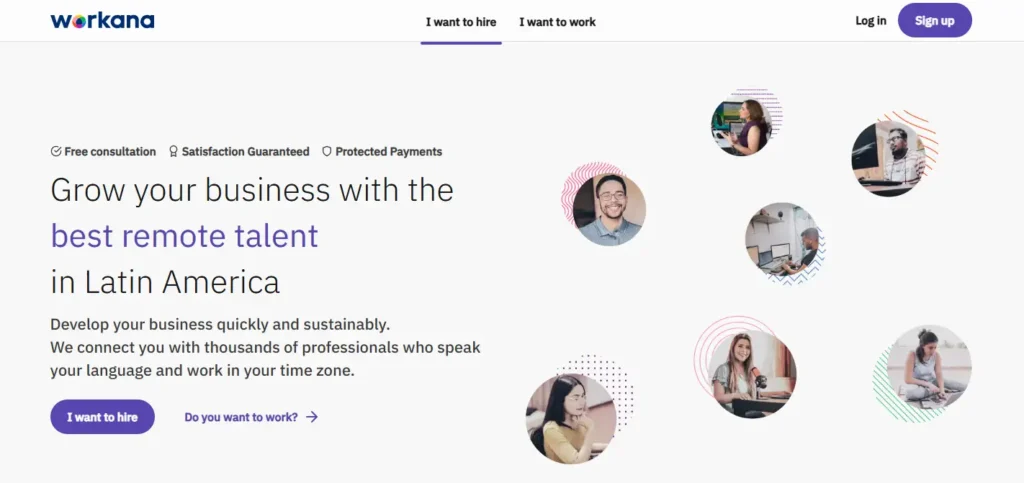
Workana is a freelancing platform where clients post projects and freelancers apply for them. It is available for remote work opportunities as well as freelance online jobs. You can find it by simply searching “Workana” on Google.
The platform offers:
- Free registration
- Protected payments through an escrow system
- Multiple withdrawal options
One of the biggest advantages of Workana is its payment protection system. Before any project begins, the client deposits the payment into Workana’s escrow account.
Once you complete and submit the work and the client approves it, Workana releases the payment to you. This protects freelancers from being scammed after doing the work.
Also Read: 5 Proven Online Business Ideas You Can Start From Home With Just a Mobile Phone
Step-by-Step Guide to Getting Started on Workana
Step 1: Go to the Workana Website
Open Google and search for “Workana.” Click on the official website from the search results. On the homepage, you will see options for remote work opportunities and freelance online jobs.
Step 2: Select “I Want to Work”
On the website, look for the three-line menu at the top. Click on it and select “I Want to Work.”
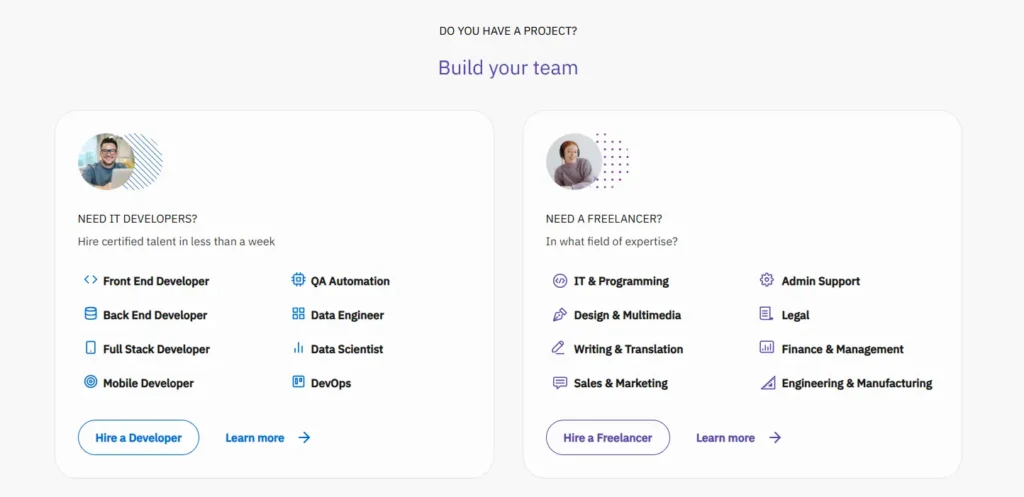
You will then be asked whether you want to work as a developer, as a freelancer, or just explore projects. Since the goal here is freelancing, click on “As a Freelancer.”
Step 3: Create Your Account
You will see a registration page that explains the process: register yourself, complete your profile, and then get assigned projects based on your skills.
To create your account:
- Enter your full name
- Enter your email address
- Set a password
- Select your country
- Click “Create Your Account”
Alternatively, you can sign up using “Continue with Google” for a faster registration.
Step 4: Build Your Profile – Choose Your Specialization
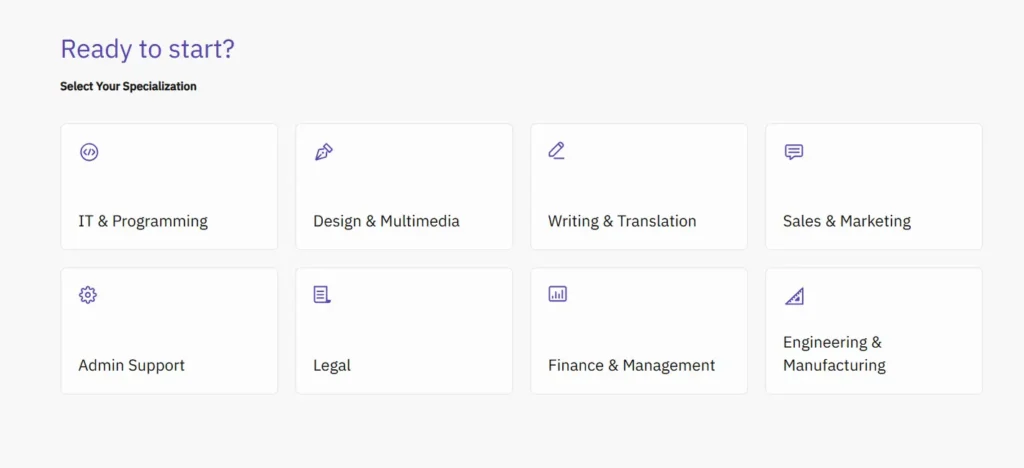
After signing up, Workana asks you to build your profile. The first step is selecting the category that matches your skills.
Available categories include:
- Writing and Translation
- Graphic Design
- Admin Support
- Legal
- Finance and Management (suitable for those who work with Excel)
Think carefully before choosing. Select the category that best matches what you can do. If you are good at writing and translation, choose that. If you know designing, select design. You can also select multiple categories if you have multiple skills.
Step 5: Select Your Role and Add Skills
After selecting your category, you will be asked to describe your role. For Writing and Translation, the available roles include:
- Copywriter
- Article Writer
- Creative Writer
- Translator
Select the role that fits you best. Most beginners are comfortable with article writing, so selecting Article Writer is a good starting point.
Next, add at least three skills. For example:
- Article Writing
- Translation
- Proofreading
- Creative Writing
For each skill, you will also be asked to mention your experience level. Select the years that honestly reflect your experience. If you have no experience, entering one year is acceptable as a starting point.
Step 6: Mention Freelancer Experience
You will be asked: “Have you worked as a freelancer before?”
If yes, select Yes. If not, select No. Then click Continue.
Step 7: Complete Your Profile
You are now one step away from landing your first project. On this page:
- Upload a clear profile picture
- Add your WhatsApp phone number
- Select your native language (English is the most commonly used language on freelancing platforms, so add English)
Click Continue. You will see a message saying “Your profile is under review.” Click “Go to Start.”
Step 8: Reach 100% Profile Completion
After the welcome page, you will notice your profile completion is at around 60%. You need to reach 100%. Click the “Complete Profile” button.
You will be asked to upload your CV. Create a professional CV that includes all your skills, and upload it here. Once uploaded, click Next and then close the upload window.
A strong CV that lists all your relevant skills will directly influence which projects Workana recommends to you.
How to Find and Apply for Projects
After completing your profile, go to the three-line menu and click on “Find a Work” then “Find Projects.”
Workana will now show you a list of projects assigned based on your CV and skills. You will see projects posted recently, some 15 minutes ago, some 4 hours ago, some 8 hours ago.
Important tip: Always apply to recently posted projects. Projects that were posted a day or two ago have a much lower chance of getting you hired. Focus on projects posted within the last few hours.
Projects come in two payment formats:
- Fixed price: the client has a set budget for the entire project
- Per hour: you will be paid for every hour you work
Browse through the available projects and find one that matches your skills and interests.
How to Place a Bid
Click on a project you want to apply for. Then click “Place a Bid.”
Write a professional proposal letter. Read the entire project description carefully and make sure you understand all the requirements. You can use ChatGPT to help you write a strong, relevant proposal. Then submit your bid.
Note: If your profile is still under review, you will see a message saying you cannot bid yet. Profiles are typically approved within one to two days. You will receive a notification once your profile is approved.
If you want faster access to projects, Workana offers a premium package that places you at the top of the freelancer list. However, if you want to start for free, simply wait for your profile to be approved and then start bidding.
After Placing a Bid
Once a client likes your proposal, they will contact you through the messaging system. Check your messages by clicking the message icon at the top of the page. All client messages will appear there. Complete the assigned work and submit it through the same platform.
Do not apply to just one project. Apply to multiple recently posted projects to increase your chances of getting hired.
How to Withdraw Your Earnings
Once you have completed work and received payment, go to the three-line menu, click “My Finances,” and then click “Withdrawal Method.”
Available withdrawal options:
- JazzCash (for users in Pakistan): attach your JazzCash account with the IBFT option to receive your earnings
- PayPal (for users outside Pakistan): connect your PayPal account to withdraw funds
Important Tips
- Apply only to recently posted projects (within the last few hours) for the best hiring chances.
- Complete your profile to 100% before applying, upload a detailed CV with all your skills listed.
- Write a customized proposal for each project. Read the requirements carefully.
- Don’t limit yourself to one project. Apply to multiple relevant listings at the same time.
- Start with free registration if you are a beginner. You do not need to pay for the premium package right away.
- If you don’t have a specific skill, writing and translation are the easiest to start with, especially with AI writing tools available.
- Be consistent. Your earnings depend entirely on how much effort and time you put in.
FAQs
Q: Is Workana free to join?
Yes, registration on Workana is completely free. There is an optional premium package that places you higher in search results, but you can start and earn without it.
Q: Is it safe to work on Workana? Will clients actually pay?
Yes. Workana uses an escrow system. Before a project starts, the client deposits the payment into Workana’s escrow account. You receive the payment once the client approves your submitted work. This protects you from non-payment.
Q: Can I use Workana if I have no experience?
Yes. If you have basic writing or typing skills, even using AI tools like ChatGPT, you can start applying for writing and translation projects. You can enter one year of experience on your profile to get started.
Q: How long does profile approval take on Workana?
Typically one to two days. You will receive a notification once your profile is approved.
Q: What skills work best on Workana?
Writing, translation, proofreading, graphic design, data entry, and finance-related tasks (such as Excel work) are all in demand on the platform.
Conclusion
Starting your online earning journey does not require a degree, a big investment, or years of experience. With a platform like Workana, all you need is a basic skill, a professional profile, and the willingness to apply consistently.
The online work industry has been growing for years. The sooner you start, the better positioned you will be. Set up your account today, complete your profile, and start applying for projects as soon as your profile is approved.
Your income depends on your effort, but the opportunity is right there waiting for you.