Losing access to an old Snapchat account can be frustrating, especially when you no longer remember the email address or phone number linked to it.
The good news is that in 2026, Snapchat has made it possible to recover your account using just your username.
This article walks you through the easiest and most straightforward method to get back into your old Snapchat account, step by step.
Important: This method only works for recovering your own account. You cannot use this process to access someone else’s account.
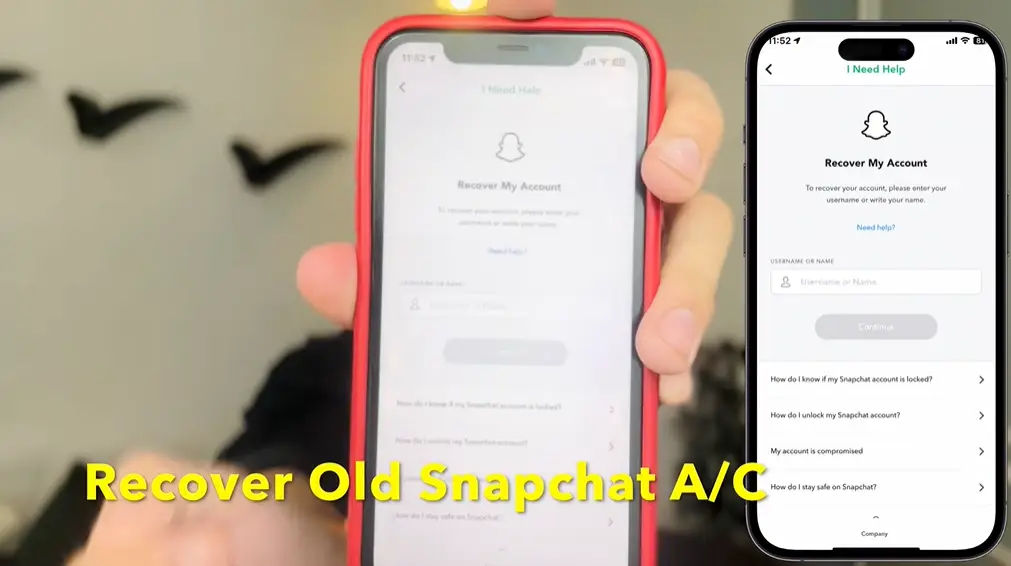
What You Need Before You Start
Before following this guide, make sure you have one key piece of information:
Your Snapchat username. This is the unique handle tied to your account (for example: ATSR3B). Without it, this method will not work.
Related: How to Fix Snapchat SS06 Device Banned Problem – Complete Guide
Step-by-Step: How to Recover Your Snapchat Account
Step 1: Open Your Browser and Search for Snapchat Support
On any browser, search for “Snapchat Support”. The first result that appears will be the official Snapchat Support page. Tap or click on that link to open it.

Step 2: Select “I Can’t Access My Account”
Once you are on the Snapchat Support page, you will see several options. Look for the option that says “I Can’t Access My Account“ and tap on it. A list of additional options will appear below.
Step 3: Choose “I Forgot and Can’t Access My Email and Phone Number”
Scroll down through the options and find “I Forgot and Can’t Access My Email and Phone Number.” This is the option you need if you do not know which email or phone number is linked to your account. Tap on it.
You will now see options like:
- Your account doesn’t have an associated email
- You don’t know the associated email
- You can’t access it
This section will help you identify and work around the missing email or phone number.
Step 4: Tap on “Reset” and Then “Change Password”
After selecting the appropriate option, tap on Reset. Snapchat will show you that you can recover your account through your browser, email, or phone number.
At this point, do not tap on the lower options. Instead, tap on “Change Password.” This will take you to a new page. Simply go back from this page, this step was just to trigger the recovery flow.
Step 5: Go Back to Snapchat Support and Search “Can’t Login Account”
Return to the Snapchat Support page. In the search bar, type “Can’t Login Account.” From the results, tap on the option that says “Profile – Snapchat.” This will bring you to the Snapchat login page directly through the support flow.
Step 6: Enter Your Snapchat Username
On the login page, enter your Snapchat username in the provided field. For example: ATSR3V. Once entered, tap Next.
Since you do not know the password, do not try to enter one.
Step 7: Tap “Forgot Password”
On the password screen, tap on “Forgot Password.” Snapchat will send a login code (OTP) to the email address associated with your account, even if you had forgotten which email that was.
Step 8: Check Your Gmail for the OTP
Open your Gmail (or whichever email app you use) and search for “Snapchat Login” in the search bar. The OTP email should appear at the top of the results. Open it and copy the OTP code.
Step 9: Paste the OTP and Create a New Password
Go back to the Snapchat login screen and paste the OTP code in the provided field. Once verified, Snapchat will give you the option to create a new password. Set a new password, and your account will be restored.
That is the complete process. You are now logged back into your old Snapchat account.
Frequently Asked Questions (FAQs)
Q1: Can I recover a Snapchat account without a username?
No. This method specifically requires your Snapchat username. Without it, there is no direct way to identify which account to recover.
Q2: What if the OTP does not arrive in my Gmail?
Check all Gmail accounts you may have used when creating the Snapchat account. Also check the Spam or Promotions folder. If none of your email accounts receive it, the account may have been linked to a different email provider.
Q3: Is there a way to find out which email is linked to my Snapchat account?
Yes, following Steps 2 and 3 of this guide through the Snapchat Support page will reveal some information about whether an email is associated with the account. From there, you can try the forgot password flow to see which email receives the OTP.
Q5: Will I lose my Snaps or streak if I recover my account this way?
No. Recovering your account through the official forgot password method does not delete your data. Your Snaps, friends, and streaks should remain intact once you log back in.
Conclusion
Recovering an old Snapchat account without a phone number or email might seem complicated at first, but by using Snapchat’s own support tools and the forgot password flow, it is actually quite simple.
As long as you remember your username and have access to the Gmail account that was originally linked, you can recover your account in just a few minutes.
Follow the steps in this article carefully, and you should be back in your old account without any trouble.
Disclaimer: This article is for informational purposes only. The steps described are based on Snapchat’s official support interface. Snapchat may update its platform at any time, which could change the exact steps or options shown. Always use official Snapchat channels for account recovery and never share your OTP or password with anyone.